Blender Ver Outfit Usage Guide
※ This tutorial assumes you already know the basics of rendering and how to use clothing in Blender. (Any Blender version is fine!)
Please play and check all videos.
Keyboard inputs are shown in the bottom-right corner. Please refer to that area when shortcut keys are used.
1. Prepare your character (Sim) file and import the outfit.
File -> Append -> Blender Ver File -> Object
2. Refer to the videos, select the tools, and fit the outfit to the body.
3. Once the outfit is fitted to a certain extent, delete the body parts hidden by the outfit.
Press C to activate the Circle Select tool.
At this time, you can adjust the circle size by scrolling the mouse wheel.
4. Once the outfit is fully fitted to the body, refer to the videos and bind the rig to the Armature so it can move with the character’s motion.
5. You can change the outfit’s colors in the Material tab.
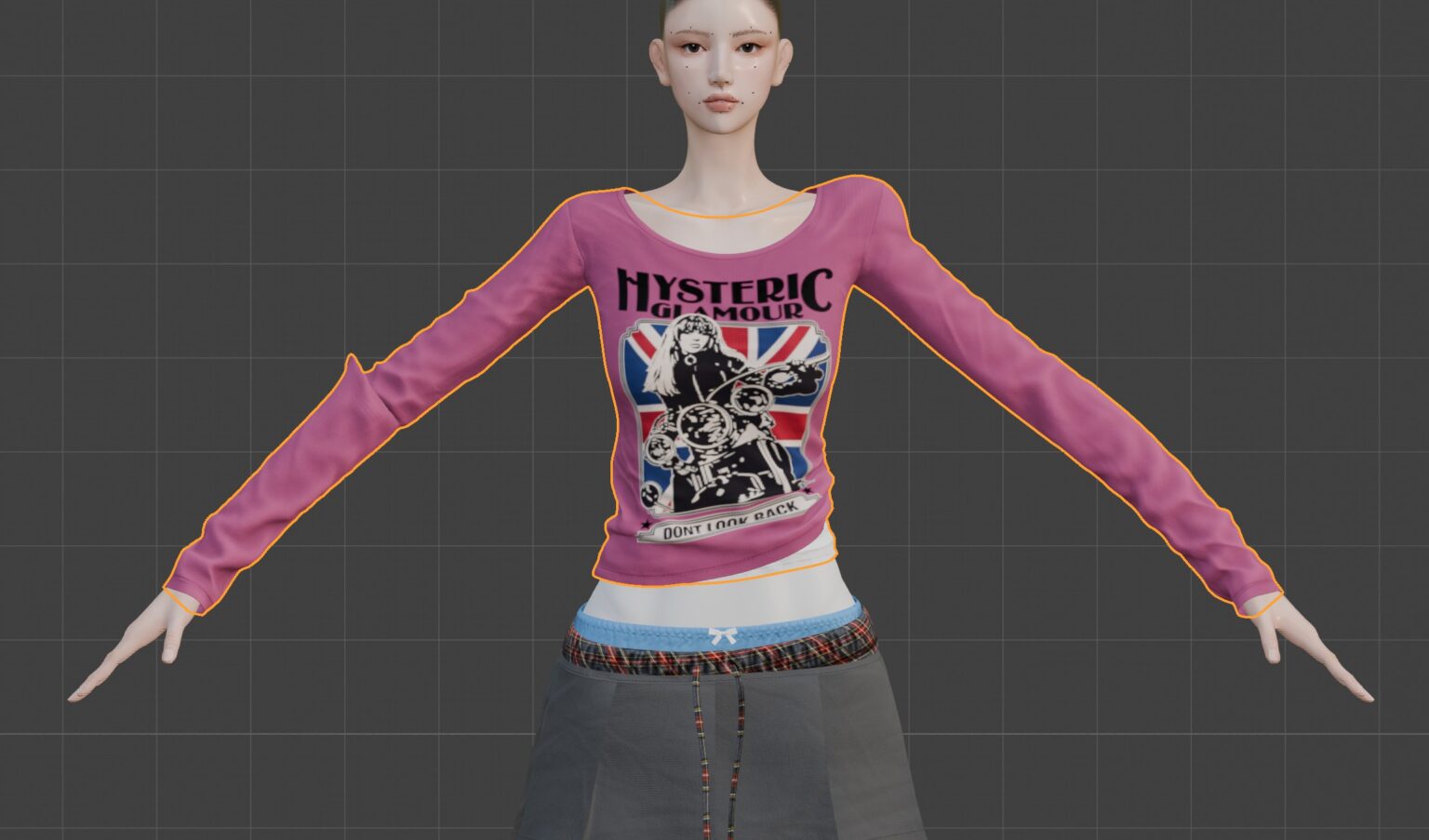
6. After posing the character, if the outfit becomes wrinkled or deformed, fix those areas in Sculpt Mode.
When doing this process, the outfit may become deformed like in the photo below, so please do this only after the pose is fully finalized.
7. For skirts, you can make the result cleaner by adjusting them in Weight Paint while referring to the video below.
If you run into any issues or have any questions, please send me a message on Patreon or an Instagram DM!